Growth automations
Updated 2026-11-04
How a conversation starts — a comment on your post, a reply to your story, a tap on an ad — and why none of it can run yet.
Read this first. You can open this screen, read it, and save automations to it. None of them can run yet.
Bottify's onboarding checklist already told you why, and this screen inherits the same fact: WhatsApp, Instagram and Messenger — awaiting platform approval. As the checklist puts it: "Meta must approve Bottify before your customers can message you on these channels."
There is one more thing merchants deserve to know, because approval alone will not switch this screen on. Comment automations also need Meta's comment permissions, and Bottify does not ask for those today. Approval is the first of two things this needs. Nobody can give you a date for either.
Everything below is still worth reading. It describes a screen that is fully built, and it tells you honestly where the walls are.
What do growth automations do?
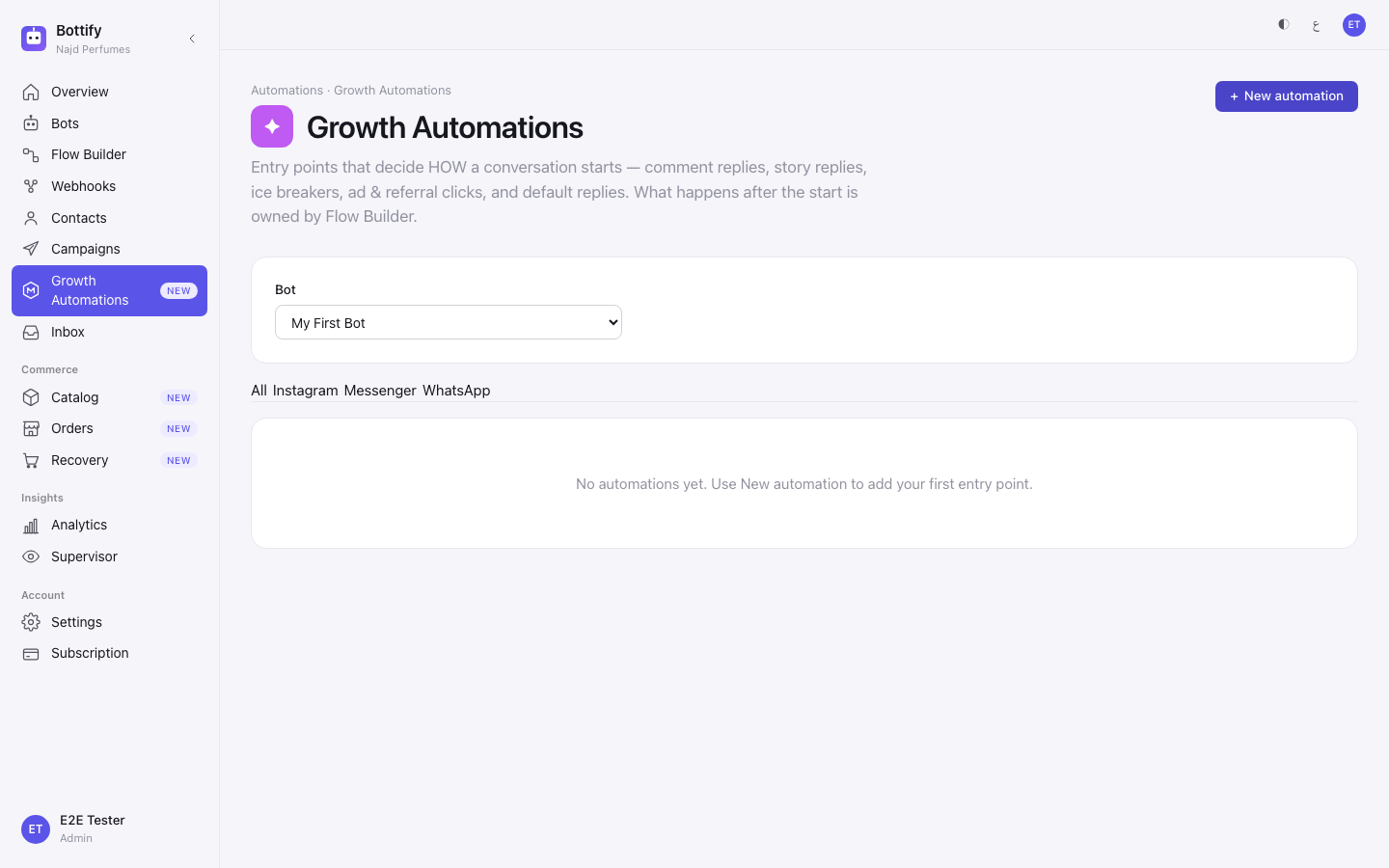
Growth Automations decide how a conversation starts. Someone comments on your Instagram post. Someone replies to your story. Someone taps a Click-to-WhatsApp ad. This screen is where you say what the bot does at that first moment.
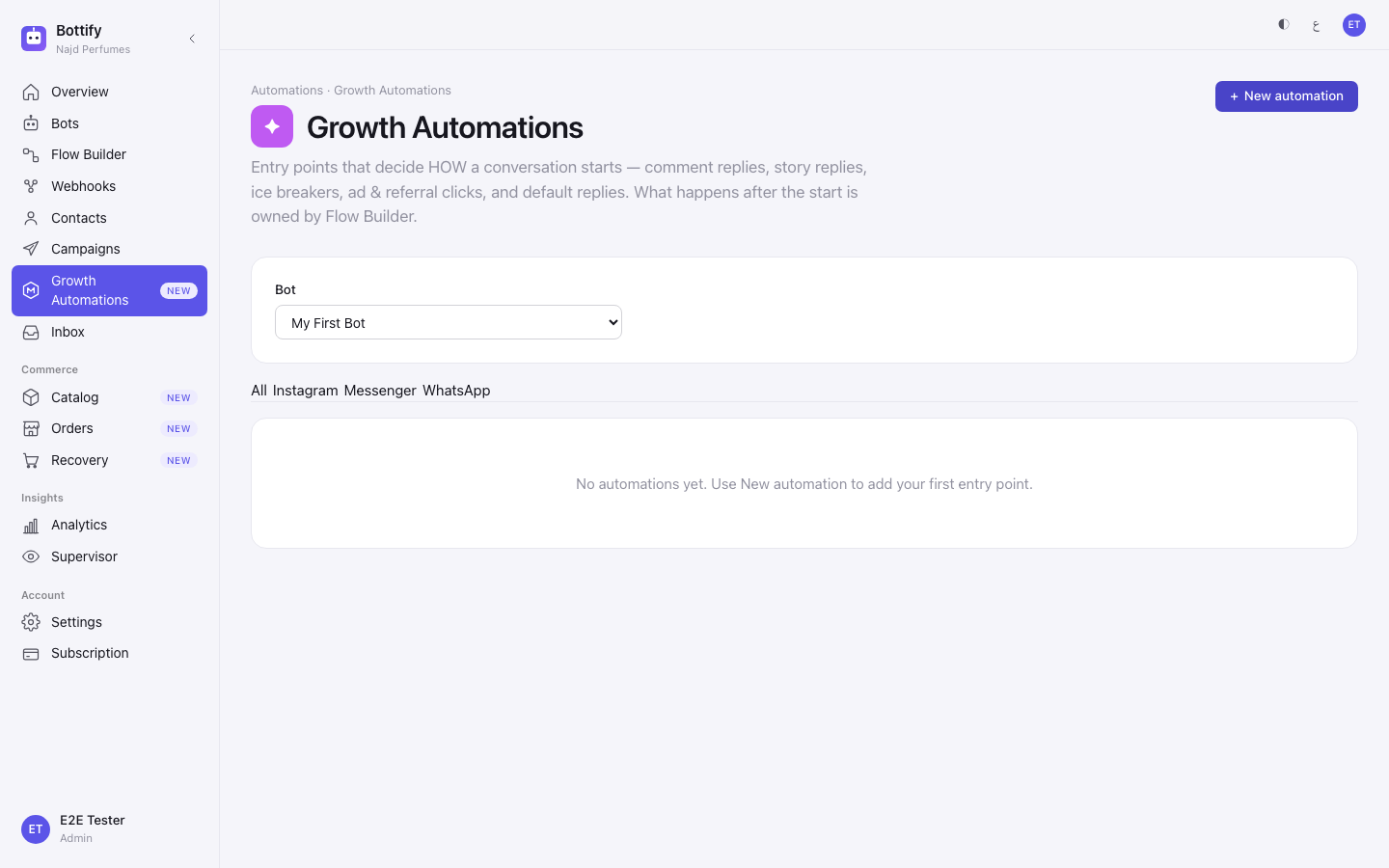
The page says the boundary itself, at the top: "Entry points that decide HOW a conversation starts — comment replies, story replies, ice breakers, ad & referral clicks, and default replies. What happens after the start is owned by Flow Builder."
The one merchants come for is Comment to DM. Bottify describes it in a sentence: "When someone comments on your Instagram post or reel, send them a DM and start a conversation." On Facebook the same idea is called Comment to Message: "When someone comments on your Facebook Page post, send them a private reply and start a conversation."
That word — private reply — is Meta's own. A public comment is the only free, permitted way to start a private conversation with someone who has never messaged you. You get exactly one private message in reply, and sending it opens a messaging window with that person.
Nuha runs متجر نُهى للعبايات — Nuha Abayas, a small abaya shop in Riyadh selling on Salla. She posts a reel of her embroidered evening abaya, SAR 890. Ninety people comment «كم السعر؟» and «مقاس؟» underneath it. Right now she answers each one by hand, in public, under the reel — and the ones who never message her privately never become customers.
What she wants from this screen: those ninety commenters become ninety private threads, each running her real sizing-and-stock flow, while a short public reply under the comment («تم الإرسال في الخاص 📩») shows the rest of her audience that she answers. She wants it scoped to that one reel, and to comments containing «السعر», so a «جميل 😍» does not get a message.
One mechanic surprises every merchant. The flow does not start when the comment lands. Bottify sends one opening line as the private reply — that is all Meta permits — and the thread does not exist until the person answers. Your flow runs on their reply, not on their comment. So the opening line has to be worth replying to. If it says nothing, nobody answers, and the flow never runs.
This screen is on the web only. There is no Growth Automations screen in the Bottify phone app.
What do you need before a growth automation runs?
| # | What must be true |
|---|---|
| 1 | You are an admin. Growth Automations is an admin-only screen. Supervisors, agents and viewers do not see it in the menu, and opening the link sends them back to their own dashboard without a message. |
| 2 | A bot exists. The whole page is scoped to one bot, picked from the Bot selector. With no bot, New automation is switched off. |
| 3 | A published flow exists on that bot, if you want the automation to start a flow. Drafts are not offered in the picker. |
| 4 | The channel is connected to that bot — Instagram, Messenger or WhatsApp. This is the wall. |
It is part of the marketing plans. Growth Automations come with the plans that send offers (the same plan line as Offers and Campaigns). On a plan without them the page shows what the plan includes and which plan adds it, and a new automation or turning one on is refused. "Awaiting approval" is something else: the platform is still checking the channel, not your plan.
About the channel, honestly. Meta has not approved Bottify, so WhatsApp, Instagram and Messenger cannot be connected through Bottify's own path. There is one route that works today: bring your own Meta app and connect the account yourself — that has its own page in this guide. Even on that route you must get your Meta app approved for comment permissions, at developers.facebook.com, not in Bottify. And a channel connected by pasting a token gets messaging, but no comment events at all — so this screen stays silent on that path.
What are your options for growth automations?
Everything here is set once, in the New growth automation wizard. Note before you start: the wizard is in English on Arabic screens too. The page around it is Arabic; the five steps inside are not.
On a comment automation:
| Option | If you turn it on / fill it in | If you leave it off / blank |
|---|---|---|
| Which post or reel? → A specific post or reel | Only comments on the one post you pick fire the automation. The screen says it: "Only comments on the post you choose below will fire this automation." | The default, All posts & reels, means "Reply to comments on any post or reel on this account." Every comment on your whole account fires it. |
| Only when the comment contains (optional) | Only comments containing that word fire it. Nuha types السعر. Upper and lower case do not matter. | Every comment fires it, including «جميل 😍». One word only — there is no list, and no exact-match setting. |
| Reply publicly to the comment | Bottify posts a public reply under the comment, so your other followers see you answered. Public reply text becomes required. | Off by default. Nothing appears under the comment; the person gets a private message and the rest of your audience sees silence. |
| Send a private DM | On by default. Opens the private thread and, if you picked a flow, runs it when the person replies. | Turn both this and the public reply off and the wizard stops you: "⚠ Enable at least one action — public reply, a DM, or both." |
| Turn on now (last step) | The automation is saved switched on and its badge reads On. | Unticked by default. The automation is saved as a Draft and does nothing. The screen says so: "Leave off to save as a draft you can enable later." |
The action. Four choices, one per automation: Start an existing flow ("Run one of your published flows. The flow owns everything after the start."), Send a simple message ("Send a single static reply. No flow runs."), Transfer to an agent ("Hand the conversation straight to a human agent."), and Start from a template flow. Data collection — asking for a name, a size, a phone number — is never set up here. It lives in Flow Builder.
Two things you will see and cannot use. On the Instagram tab, under the heading Not available at your access level, sit Follow to DM and Live to DM, greyed out with their reasons: "Meta does not expose a public follow webhook for messaging. This entry point is only available through a Meta Business Partner arrangement, so it cannot be enabled here." Despite the wording of that heading, this is not about your role. These two are unavailable to everyone, because Meta publishes no interface for them. Other tools sell "Follow to DM" anyway. Bottify shows you the refusal and the reason instead.
And one deliberate gap. There is no WhatsApp referral link here. A plain wa.me link carries no signal Bottify can see. To route people arriving on a WhatsApp link, use a keyword trigger in Flow Builder — only Click-to-WhatsApp ads carry something this screen can detect.
Things you cannot change afterwards. There is no edit. Once an automation is created, its channel, its entry point, its keyword, its post and its opening message are fixed. To change any of them you delete it and build it again. Decide before you start, not after.
How do you reply to Instagram comments automatically?
What follows is what the screen does when you click through it. It ends in a saved row — not in a message going out. No comment will reach that row today.
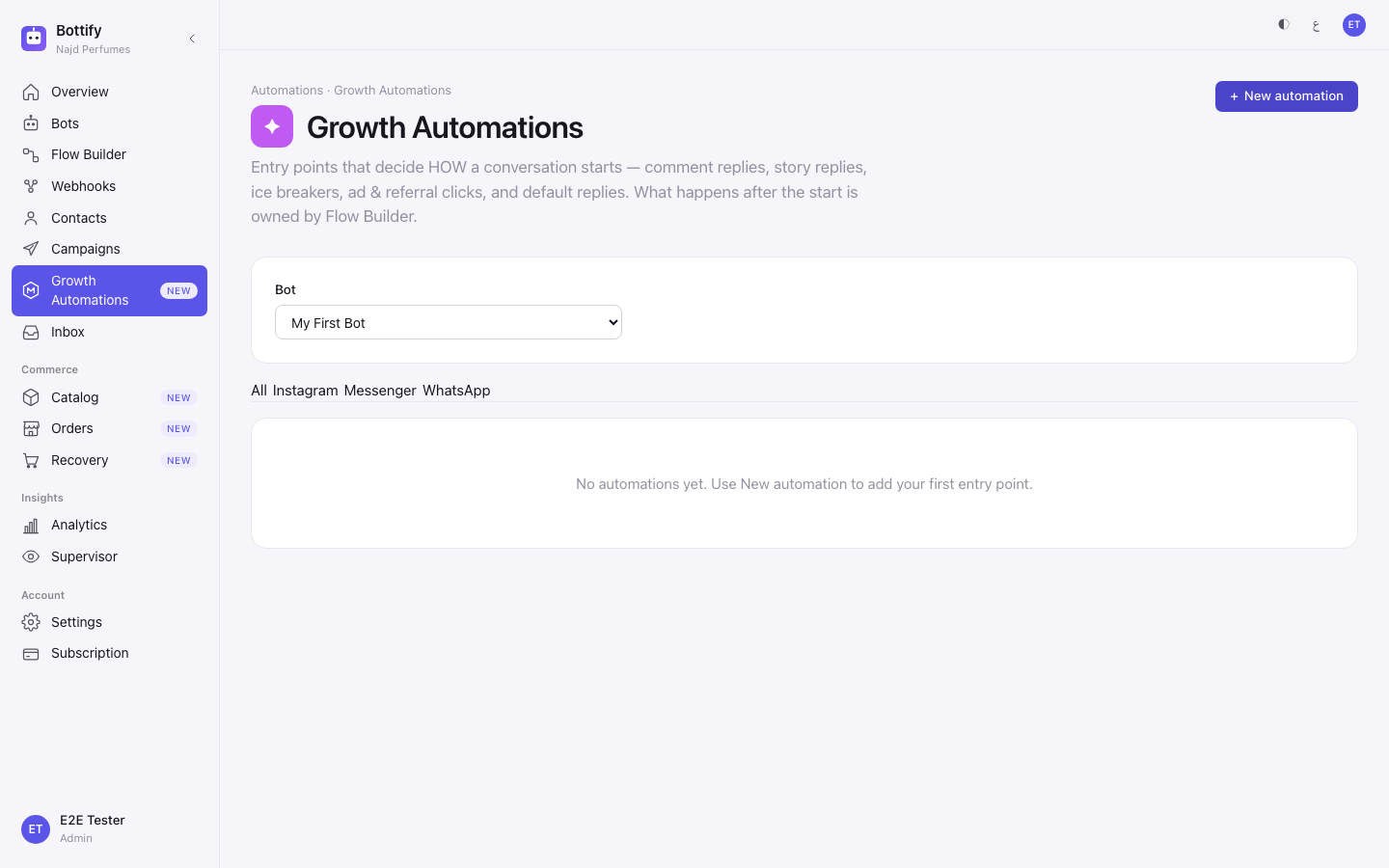
- In the sidebar, open Growth Automations.
- In Bot, pick the bot this automation belongs to.
- Open the Instagram tab.
- Press + New automation.
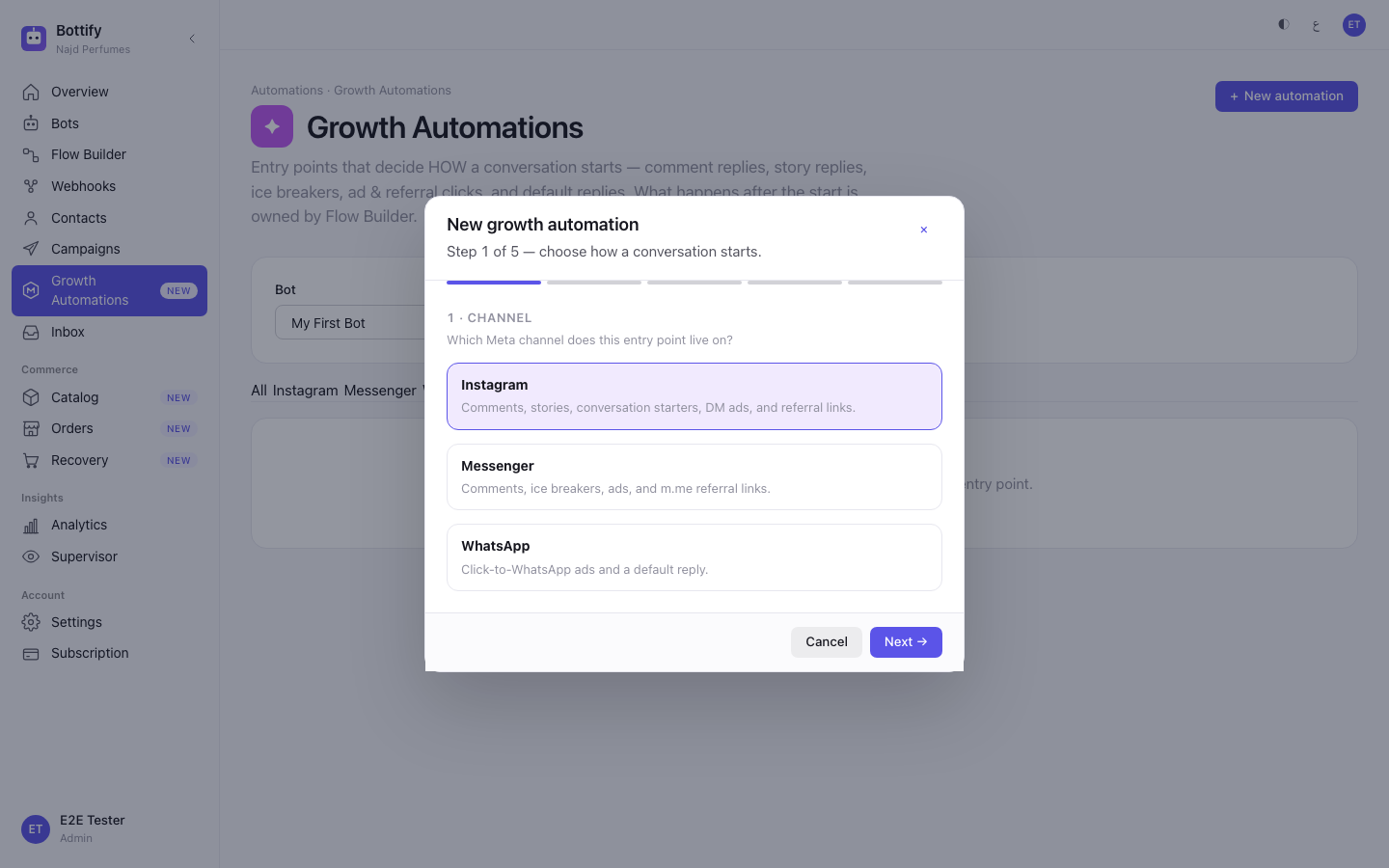
- On step 1 · Channel, choose the card Instagram.
- Press Next →.
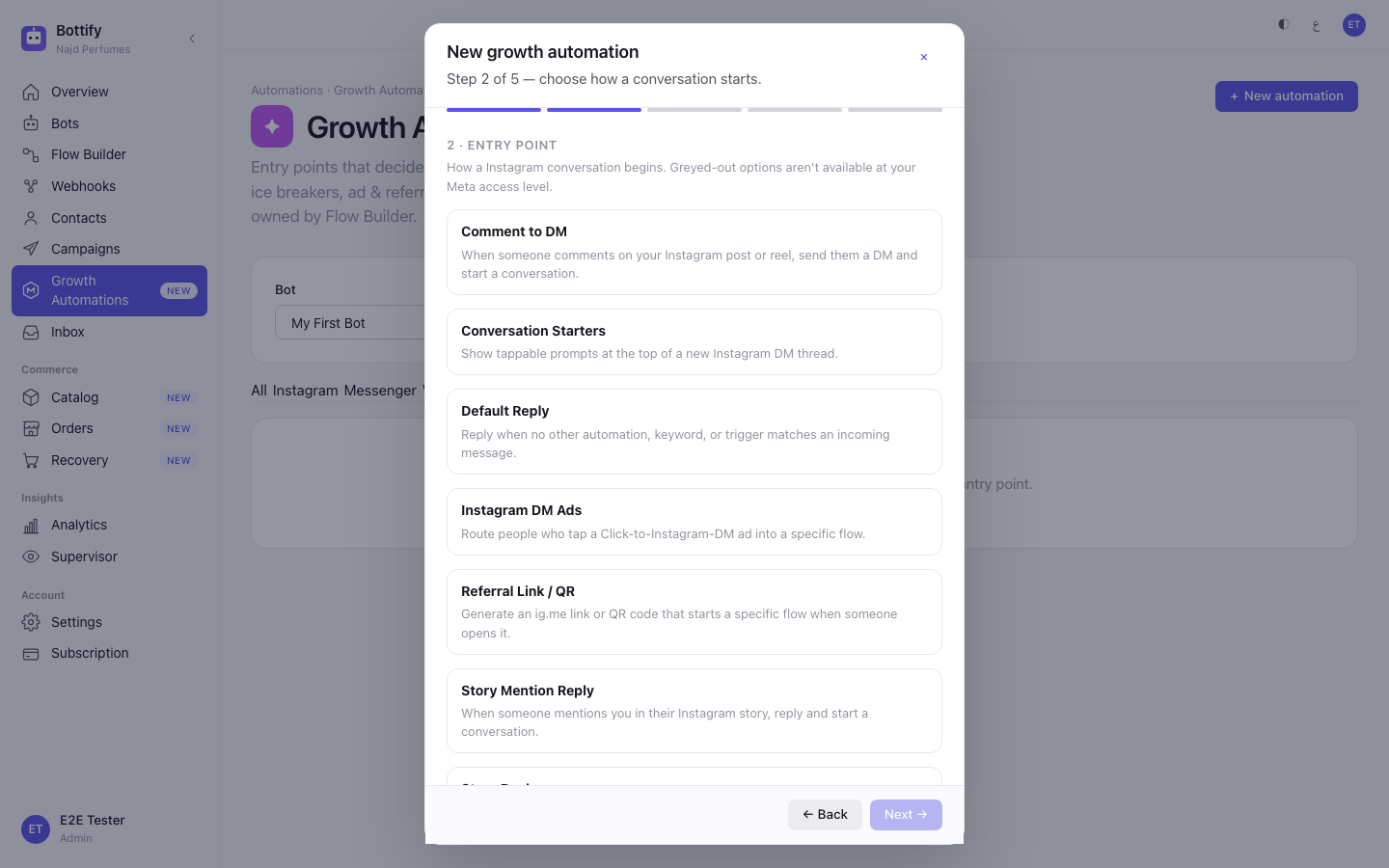
- On step 2 · Entry point, choose the card Comment to DM.
- Press Next →.
- Under Which post or reel?, choose A specific post or reel.
- Pick the post you want from the list that loads.
- In Only when the comment contains (optional), type your word — Nuha types
السعر. - Press Next →.
- Switch on Reply publicly to the comment.
- In Public reply text, type the line your followers will see — Nuha types
تم الإرسال في الخاص 📩. - Leave Send a private DM switched on.
- Choose the action card Start an existing flow.
- In Flow to start, pick your published flow.
- In Opening DM message, type the line that opens the private thread — Nuha types
شكرًا لتعليقك! ردّي هنا وأساعدك بالمقاس والسعر. - Press Next →.
- In Automation name, type a name for yourself — Nuha types
تعليقات ريل العباية. - Tick Turn on now.
- Press Create & turn on.
If Nuha had left Turn on now unticked at step 21, the button would read Save draft instead.
How do you know a growth automation triggered?
The modal closes and a message appears reading "Automation created & turned on". If you saved it as a draft instead, it reads "Automation saved as draft".
A row then appears in the table: the name you typed, the channel badge, the entry point Comment to DM, a one-line plain-English summary of the rule, and the status badge On — or Draft if you left the box unticked. Switching a row on or off later gives you "Automation turned on" or "Automation turned off"; deleting one gives "Automation deleted".
That summary column is written in English no matter which language you use the dashboard in, and so is the entry-point name beside it. Bottify says so itself rather than pretending otherwise: those two come from the server already written, and no translation is applied.
Now the honest part of this section. That badge is the entire success signal you will ever get. There is no fired count, no last-triggered time, no log, and no link from an automation to the conversations it started. An automation reading On and working looks exactly like an automation reading On and doing nothing. Today, every one of them is the second kind.
One more thing no screen tells you: if two of your comment automations both match the same comment, only one runs — the older of the two. Building a broad rule and a narrow rule and expecting both to fire will not work.
Why is my growth automation not running?
"Couldn't load posts"
What you see — you choose A specific post or reel and, instead of your posts, a box headed "Couldn't load posts" with the line "Reconnect the account with the required permissions, then refresh." and a ↻ Try again button. A related version reads "Couldn't reach the channel right now. Refresh to retry."
Why — Bottify is not permitted to read your posts and comments. The permissions Bottify asks for when connecting an account cover messaging, not comments. This is the honest end of the post picker today, and it is not something you did wrong.
What to do — pressing ↻ Try again will not change the answer while this stands. If you have connected the account with your own Meta app, check that your app was approved for the comment permissions on Meta's side. Otherwise there is nothing on this screen to fix. You can still save the automation with All posts & reels selected; it will sit as a row until the permissions exist.
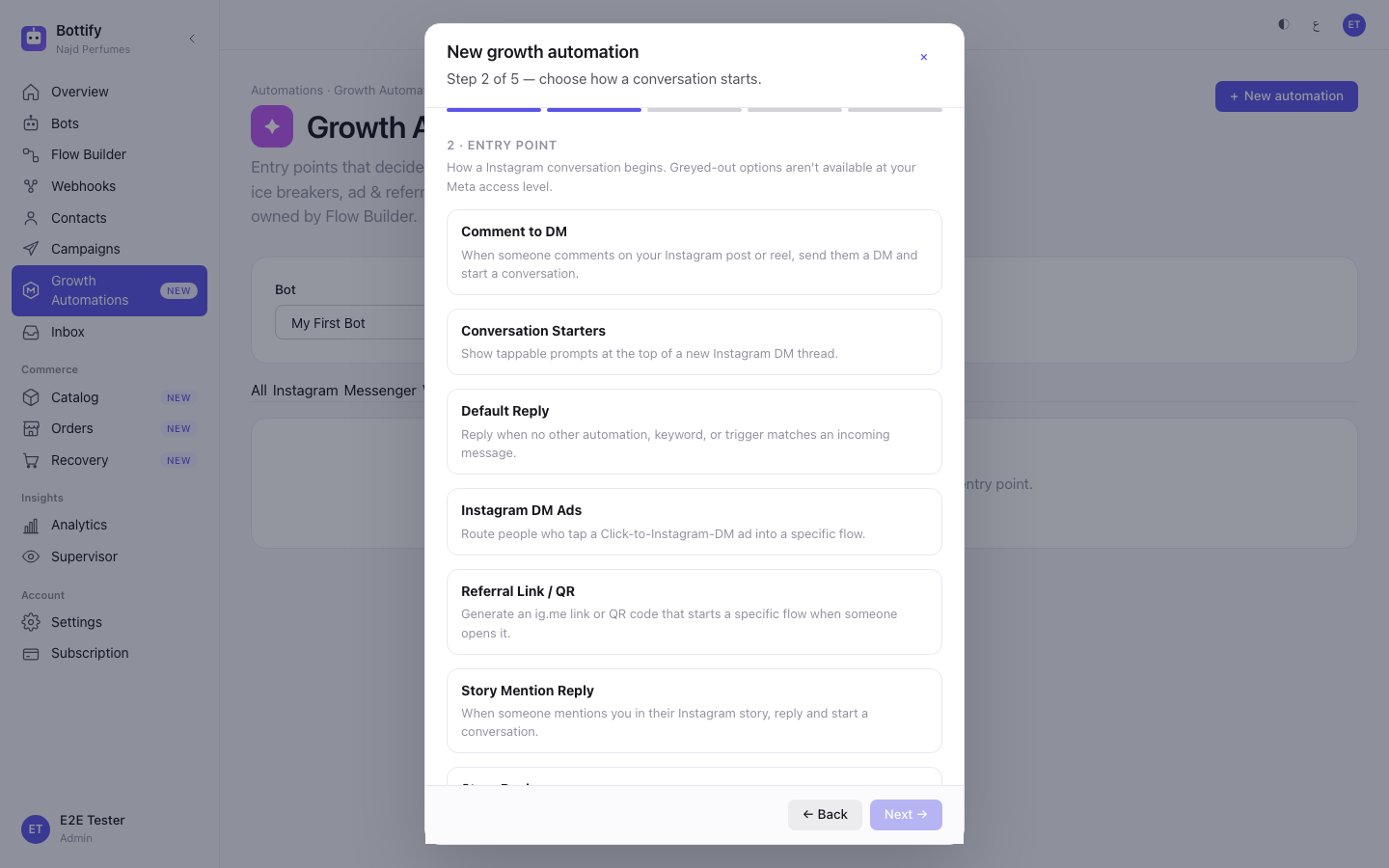
"No bots yet — create one first."
What you see — where the Bot selector should be, one line: "No bots yet — create one first." The + New automation button is switched off and nothing else on the page can be used.
Why — every automation belongs to one bot, and your workspace does not have one yet. This is the first wall a brand-new merchant hits, before anything to do with Meta.
What to do — go and create a bot, from a template if you have not built one before, then come back to this screen and pick it in Bot. This is one of the few messages on this page that is properly translated into Arabic — «لا توجد بوتات بعد — أنشئ واحدًا أولًا.»
"Default reply already exists"
What you see — you try to add a second Default Reply on a channel that already has one, and get "Default reply already exists" with the body "This channel already has a default reply. Edit the existing one instead of adding another."
Why — a channel can only have one catch-all reply switched on at a time. Bottify blocks the second rather than letting two rules fight over the same message.
What to do — the message's advice cannot be followed, and you should know that before you go looking. There is no edit screen. Find the existing default reply in the list, press Turn off on it, and then switch on the new one — or press Delete on the old one, confirm Delete "الرد الافتراضي لإنستغرام"? This can't be undone., and create the replacement. Do not spend time hunting for an Edit button; there isn't one anywhere on this page.